






TL;DR – Your employees are almost certainly using AI already, often without telling anyone. The right first move isn’t a tool rollout or a training day: it’s a short, honest conversation about what data is being shared and who can see it, so the productivity gains come without the security surprises.
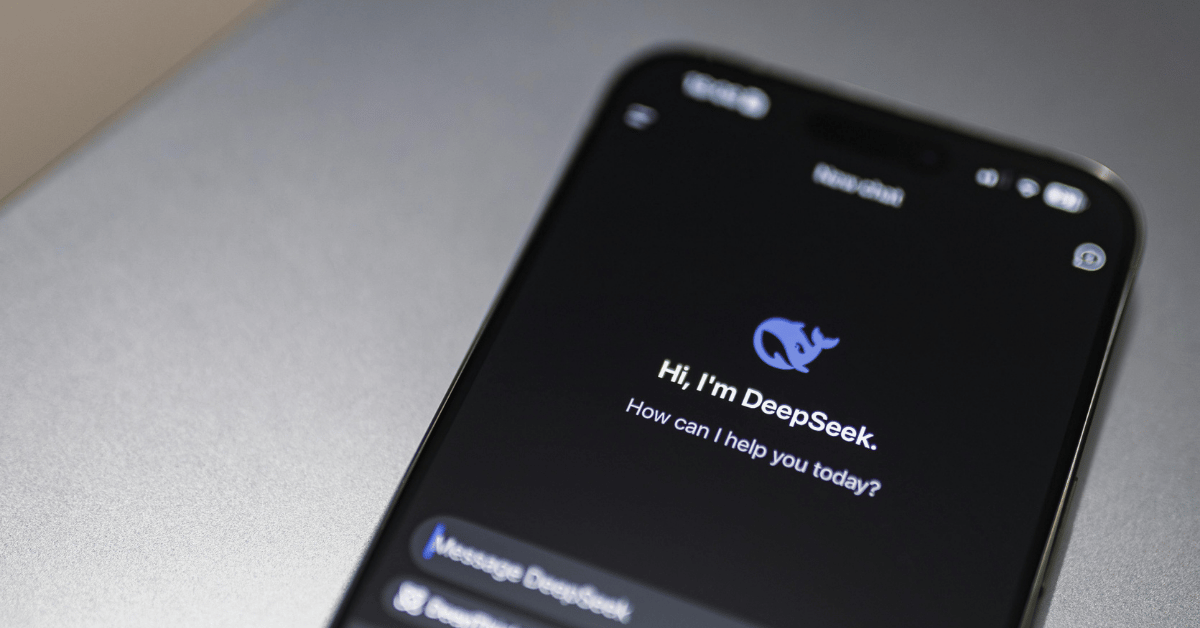
While leadership debates over whether the business should be using AI, the team usually moves ahead with it anyway. Whether it’s someone in marketing cleaning up copy in ChatGPT, someone in finance asking Copilot to summarize a contract, or someone in sales drafting proposals with Claude despite nobody approving it, this is shadow AI. It’s the everyday use of AI tools that IT never signed off on and often can’t even see.
In IBM’s 2026 Cost of a Data Breach Report, incidents involving shadow AI more than doubled to 43% in 2026, which led to higher average breach costs than the previous year. The tools are already in the building, and so is the exposure.
But not having an AI strategy in place doesn’t mean you’ve missed the boat; you’ve just skipped a step. And that step is just one conversation that starts with your data.
“We’re Not Using AI Yet” Doesn’t Always Hold Up
When a leader says the business isn’t using AI yet, it’s usually because they believe it’s the case. Shadow AI is invisible by design, with no license to approve, no procurement request, and no IT ticket. It’s often just a personal ChatGPT login or a free tool in a browser tab, so nothing shows up on a software inventory and, from the outside, the business looks AI-free.
Look at the numbers, though, and that picture falls apart. In Okta’s AI Agents at Work 2026 report, 52% of knowledge workers admitted using unapproved AI tools, and almost a quarter do so regularly. Here’s the part that should give leaders pause: in the same study, 90% of executives said they were confident in their visibility into which AI tools their people use. Both things can’t be true. The quieter the use, the less likely you are to hear about it before something goes wrong.
So “we’re not using AI yet” is rarely a statement about what’s happening. It’s a statement about what you can see on the surface. The honest version is usually more along the lines of “we haven’t looked yet.” And once you do look, the useful question isn’t whether your team is using AI. It’s what data they’re handing it.
The Real Starting Point Is Your Data
The instinct, once you realize people are already using AI, is to pick an approved tool, roll it out, and move on. But that skips over the issue that actually matters. An AI tool is only ever as safe as the data you give it, so the tool itself doesn’t really matter. It’s about what your people are feeding into the tools they already use.
That comes down to three things:
- What’s being shared: the client list, the contract, or the financials someone pastes into a prompt to save themselves ten minutes.
- What those tools are allowed to reach: many now connect to email, files, and calendars through permissions nobody stopped to review.
- Where that information goes next: anything entered into a public tool can be stored or used to train a model, well beyond your control.
This is what AI data security comes down to in practice, and it’s where the gap usually sits. IBM found that among organizations hit by an AI-related breach, 92% lacked proper access controls. The tool wasn’t the problem. Nobody had decided what it was allowed to see.
Why Rushing Into Using AI Can Backfire
Feeling behind leads to a temptation to try and catch up quickly, which is the context in which plenty of businesses decide to start using AI. But moving fast without doing the data groundwork only serves to formalize your exposure. You’re effectively taking the quiet, scattered AI security risks your business already carries and wiring them into an official process, at scale, with leadership’s name on it.
IBM found that 68% of breached organizations had no AI governance policy in place. Starting slow might initially feel like you’re falling further behind, but it’s often what lets you chase the productivity gains without inheriting the risks that come with rushing.
What an AI Security Assessment Looks At
So what does getting it right actually involve? It starts by naming the thing you’re putting in place: a policy that governs where your data is allowed to go. And it helps to know there are two kinds doing that job, because they’re easy to lump together and they work in very different ways.
System policies are the technical controls built into your tools: the settings that automatically block sensitive data from leaving, limit which apps can connect, or stop an unapproved tool before it does damage. Once they’re configured, they enforce themselves.
Company policies are the written rules: what your people should and shouldn’t do with AI, and where the lines sit. No tool enforces these for you. They only work when people understand them and choose to follow them, which makes culture and awareness the real enforcement mechanism, not the document itself.
You need both. System policies handle what can be caught automatically. Company policies cover everything the tools can’t see, which, with shadow AI in the picture, is often most of it. A proper AI security assessment is really just a structured way to get both in place, and it doesn’t require a six-month project. It works through four things in order:
- What’s already in use. Before anything else, surface the shadow AI: which tools people have adopted, for what, and where the sensitive work is happening. You can’t govern what you haven’t found.
- What those tools can reach. Map the permissions and connected accounts so you know exactly which tools can see your email, files, and client data, and tighten anything that’s wider than it needs to be.
- Where sensitive data is allowed to go. Draw the line between what’s safe to put into a public tool and what never should be, so client and company information stays out of models you don’t control.
- A set of rules people will actually follow. This is the company-side policy in practice. Not a document that sits in a drawer, but a practical employee AI usage policy, an AI policy for employees written around how they already work, so the safe path is also the easy one.
Done properly, that’s Security and Strategy working together, two of the four pillars that underpin every Elevity engagement. Get those guardrails in place, and the productivity everyone’s already chasing becomes something you can actually encourage.
Get the Guardrails Right, Then Chase the Gains
Here’s the whole thing in one line: get the guardrails right first, then go after the productivity. Once you know what’s in use, what it can reach, and where your data is allowed to go, encouraging your team to use AI stops being a gamble and starts being a genuine advantage.
That’s the difference between buying a product and buying an outcome. You’re not really looking for another tool. You’re looking for the confidence to let your people use AI without wondering what it’s costing you.
And it means you get to keep the main thing the main thing: you run the business, and a partner handles the groundwork that keeps AI safe to use. That’s exactly what the Elevity AI Enablement Program is built to do. It starts where this article does, with a clear look at what’s already happening and the data conversation that should come first.
FAQs
What is shadow AI, and why is it a risk for my business?
Shadow AI is the use of AI tools that IT hasn’t approved or can’t see. It could be a personal ChatGPT login, a free tool in a browser tab, or an app on someone’s phone. The risk is that sensitive data ends up in tools that haven’t been vetted.
Do we need an AI policy for employees before rolling out AI tools?
In most cases, yes. Start by finding out what’s already in use and what data those tools can reach, then build an employee AI usage policy around how your team actually works.
What does an AI security assessment cover?
A good assessment works through four things in order: what AI tools are already in use, what those tools are allowed to access, where sensitive data is permitted to go, and the practical rules that keep it safe.
We feel behind on AI. Have we missed the opportunity?
No. Being later to AI is often an advantage, because you get to do it in the right order. Start with a short conversation about data and permissions, get the guardrails right, and the productivity gains follow safely.